Your team already knows your next 50 buyers. Pool the network and see it.
Every rep, SE, and exec carries a network. On their own, those networks are invisible to each other. Draftboard Teams pools them into one graph, so anyone can find the warmest path to any account, through whichever teammate actually has the relationship. Those intros convert around 30-40%, where cold outreach lands under 1%.
What Teams unlocks
One pooled network
Every member's connections in a single shared graph, so a rep can reach an account through a colleague's relationship.
Team-wide path visibility
For any target, see which teammate has the warmest path, scored by real relationship strength, not just who shares a mutual.
Shared prospect pool
Organize targets into campaigns, keep some private, and work the same account list without stepping on each other.
Intro requests between teammates
Ask the colleague with the strongest path to make the intro, with a ready-to-send request.
How it works
- 1
Sign up and invite your team members
Sign up, then invite your teammates by email so their networks join the shared graph.
- 2
Everyone maps their network
Each member installs the extension, which privately maps their professional network. No one uploads or shares contacts. You can also add members as non-scanning, read-only accounts.
- 3
Add your target accounts
Paste LinkedIn URLs or upload a CSV of the accounts and people the team wants to reach.
- 4
See the best connector per target
Draftboard shows, for each target, who on the team can make the warmest introduction, and routes the ask.
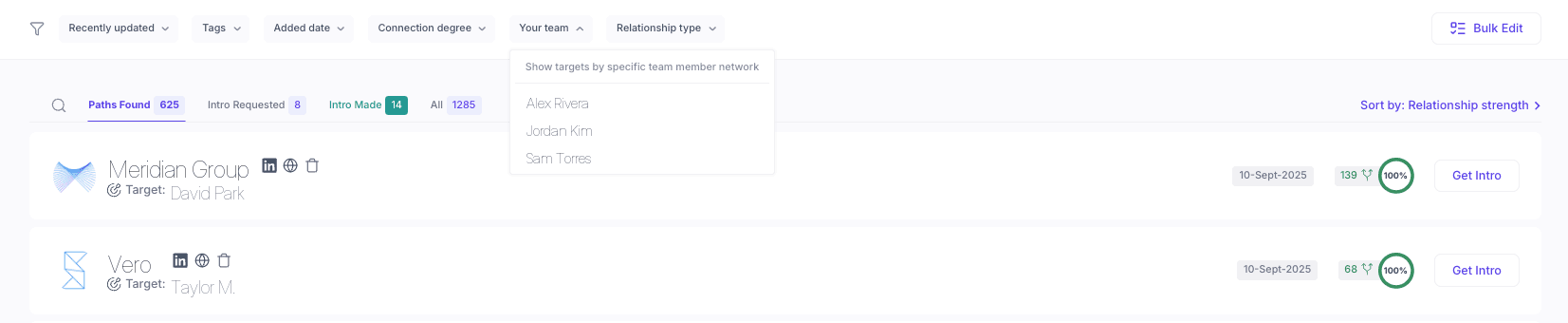
Filter your whole pipeline by any teammate's network, and see who on the team can reach each target.
What your team sees, and what stays private
- • Teammates see which colleague has the warmest path to a target and how strong it is, so they know who to ask.
- • They don't get an export of anyone's contacts or a browsable list of each other's connections.
- • Each member's network is mapped privately by the extension. Nobody hands over their address book.
See your team's warmest paths
Pool your network, find the best connector for every account, and turn warm intros into a team motion.